

Is your data centre liquid cooling ready? A pre-retrofit compatibility checklist for air-cooled facilities


By Anuj Kudesia, MD-SEPSL and Director of Business Development at Schneider Electric India
Data centre cooling is one of the hottest topics in the tech world today because these facilities run around the clock and consume massive amounts of power to stay efficient. As data-heavy workloads such as AI and cloud storage continue to dominate the digital world, the pressure on existing facilities is set to intensify.
Traditional air cooling (think giant air conditioners and fans) works perfectly fine when a server rack only pulls 15 kW to 20 kW. However, modern AI clusters pack so much power into a small space that single racks now draw 40-100 kW. Air simply can’t carry that much heat away fast enough.
Running these intense workloads nonstop generates an incredible amount of heat. If left unchecked, the temperature will fry the server components, ruin storage gear, and even trigger catastrophic downtime.
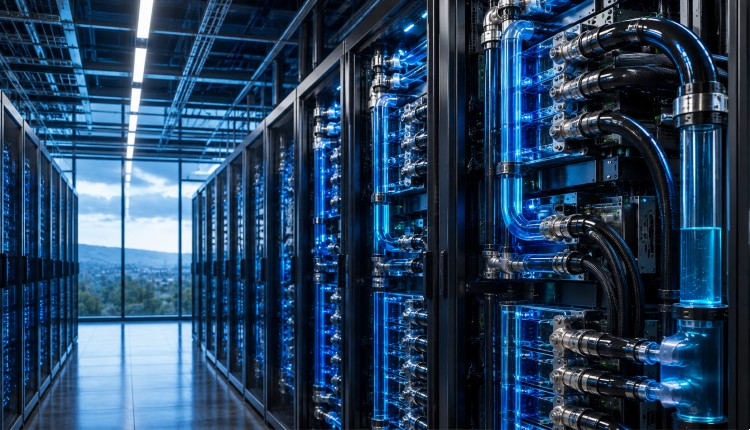
Liquid cooling solves this by circulating fluid over the hottest chips to dissipate heat safely.
But before retrofitting your data centre with liquid cooling, follow the readiness checklist below.
Pre-Retrofit Liquid Cooling Compatibility Checklist for Air-Cooled Facilities
Plumbing & Heating Rejection Setup: To cool hot chips, fluid must be pumped in, and the heat must be carried completely out of the building.
Your current plumbing needs a thorough evaluation:
Check the Main Loop: Does your facility already use a central chilled-water system, or does it rely entirely on standard direct-expansion (DX) air-conditioning units? If you have an existing water system, calculate whether it has enough spare capacity to support the new liquid loop.
Outdoor Cooling Towers: Verify if your outdoor chillers or cooling towers can handle the extra heat load. Fortunately, liquid cooling can operate at much warmer fluid temperatures, meaning simple outdoor dry coolers can often be utilised to save both water and energy.
Power Supply & Electricity Density:
AI and high-performance computing pack an incredible amount of power into tiny spaces. So, it is crucial to ensure that the electrical backbone can handle the high draw.
Power At The Rack: Traditional server rooms spread electricity evenly across the floor. By contrast, liquid cooling concentrates power into specific high-density zones. You need to verify whether your power distribution units can safely supply up to 100 kW to a single rack slot.
Handling Power Spikes: When an AI model starts processing large amounts of training data, sudden, massive power spikes occur. That is why the UPS and backup diesel generators must handle these rapid jumps without tripping your breakers.
Safety Risks & Water Quality
Bringing liquids into a traditionally dry environment requires smart, reliable safety nets.
Leak Detection Alarms: Before you start any plumbing work, make sure your facility has leak-detection sensors on the floors and inside your racks. It’s also crucial to have smart monitoring software in place that can automatically shut off fluid valves the moment it detects a pressure drop.
Water Filtration Space: The water running through sensitive cold plates must be kept incredibly pure. You need to carve out physical space in your facility for chemical treatment and filtration systems to prevent rust, scale, and biological growth from building up inside the pipes.
Operational Readiness & Team Training
Transitioning to a hybrid cooling architecture fundamentally changes how your team maintains the floor.
Before deployment, operational playbooks must be updated:
Specialised Maintenance Tools: Technicians will need specialised tools for servicing liquid-cooled loops, including dripless quick-disconnect couplings and fluid evacuation kits to drain servers safely before swapping hardware.
Emergency Standard Operating Procedures (SOPs): The team needs clear, rehearsed protocols for handling a fluid leak, managing chemical changes in the secondary loop, or overriding automated shutoff valves during routine maintenance.
The Retrofit Hardware Kit: What Products Do You Actually Need?
Coolant Distribution Units (CDUs): The backbone of the retrofit. These liquid-to-liquid or liquid-to-air heat exchangers isolate the building’s facility water loop from the ultra-pure fluid running through the IT racks.
Secondary Fluid Manifolds: Vertical, rack-mounted stainless steel tracks equipped with quick-connect valves to distribute fluid cleanly to every server in the stack.
Smart Power Distribution Units (Rack PDUs): High-density, three-phase PDUs capable of safely delivering 40kW to 100kW to a single rack without overheating.
Environmental & Leak Detection Modules: Floor-level and chassis-level leak-sensing ropes, hooked up to a centralised management system for instant, automated valve shutoffs.
To Summarise
As computing demands intensify, moving to a liquid-cooled setup is highly manageable if you lay the groundwork first. Rushing past these initial checks can lead to massive budget overruns and operational headaches down the line.
– Anuj Kudesia, MD-SEPSL and Director of Business Development at Schneider Electric, leads strategy, product launches, and revenue operations for the Secure Power Division across the Greater India Zone. With over 20 years at Schneider Electric spanning enterprise data center sales, channel management, and strategic business development including P&L ownership for BFSI, IT/ITES, and Government verticals, he brings deep expertise in UPS systems, critical power infrastructure, edge computing, and data center modernisation for Indian enterprises